

Release Control is available on the Plus plan. See Billing &
Plans for details.
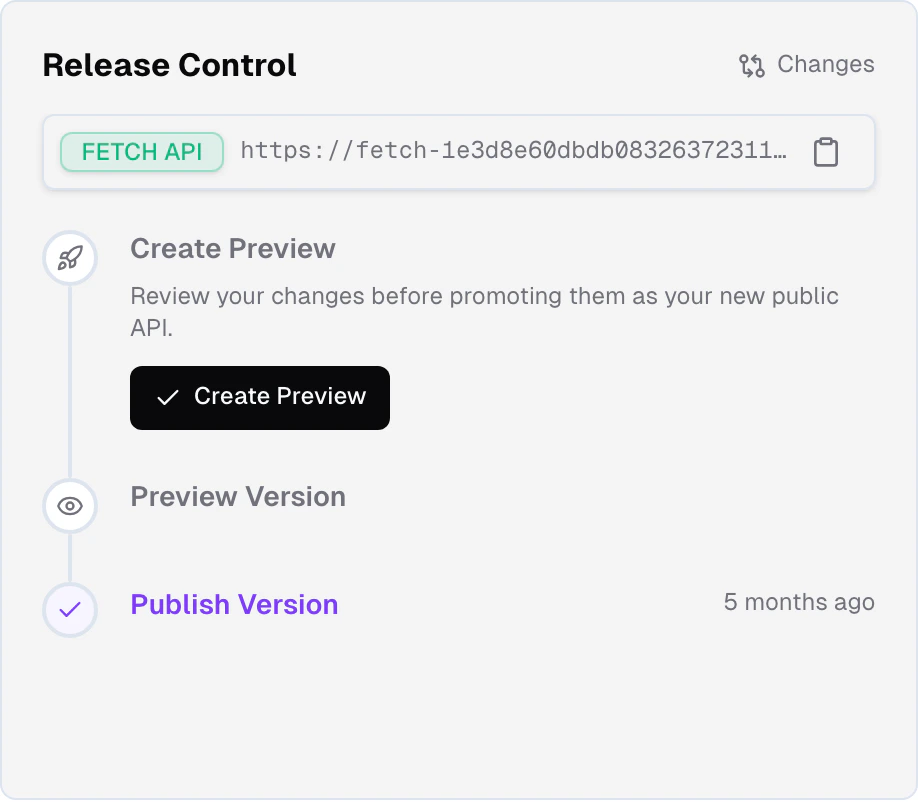
The workspace
The workspace is your project as you edit it. Every change you make in the Frontic app, through Buddy, in Studio or via MCP lands there at once. There is one workspace per project, and it is the only place you edit.API versions
With Release Control, the Fetch API always serves two API versions of a project:Develop version
The workspace as it is now. It changes with every edit and can
break at any moment: for development only.
Public version
What your customers see. It changes only when you publish, and
never breaks from a workspace edit.
Release a version
Change the workspace
You, Buddy, the Studio chat or an MCP agent change something: add a
field to a storage, rewrite a sync mapping, adjust a listing filter,
add a page. The develop version shows the change at once, and Frontic
reprocesses the data that depends on it.Developers can build against the develop version right away with
frontic generate develop. Customers see nothing.Preview a version
When the workspace is ready for testing, preview a version. Frontic
snapshots the workspace into a new preview version with its own
version key and processes your data with it. A new
preview version replaces the old one, and the old key stops working
the moment the new build starts.
Deploy and test against the preview
Run
frontic generate preview to generate a
Client SDK that carries the preview’s
version key, then build, merge and deploy your frontend with it and
test the deployed app. What you test is exactly what you publish.Publish the version
When the deployed app passes, publish the version. It becomes the
public version at once, so the app you tested is already live on it,
with no redeploy. Publishing is irreversible.
Version keys
Each API version has a version key, sent in thefs-version header. A Client SDK carries the key of the version it was generated against, so your frontend reads the version it was built for.
By default, the Fetch API serves the public version. Only a request with a valid version key reads another version, such as the develop version or a preview version. Without Release Control, or before the first publish, the public version is served straight from your workspace, so workspace changes take effect at once. See How the Fetch API picks a version.
Drafts
Drafts are in active development, and specifics may change before general availability. Unlike the rest of Release Control, drafts are planned to be exclusive to the Scale plan.
frontic generate draft <name> and iterate end to end. Several drafts can exist side by side.
A draft merges back into the workspace, and you choose a side for each conflict. From there it follows the normal path: preview a version, then publish it.
The path forward: pairing Release Control with Studio and the Experience Designer, so a change, the frontend code that depends on it and the release that ships it all move together through one workflow.
Pairs with your codebase
Release Control maps 1:1 to the codebase that consumes your project. Your repo’s deploy pipeline drives the frontend; Release Control drives the API versions. Preview a version, build the frontend against it, publish and deploy: the two pipelines move in lockstep. The forthcoming GitHub integration deepens this with PR tracking, automatic releases and release state surfaced on PRs. See Core Concepts for why one project should pair with one codebase.Related
What's in an API Version
What an API version carries - storages, syncs, API surface, project
settings - and what all versions share.
Release Flow
Preview a version, publish it, version keys and how the Fetch API
picks a version.